Issues from site teams or customers, tracked until resolved.
Tickets in Zeno+: one ticket, from first report to verified closure · 1:47
Tickets keeps every issue in a single list, whether it is raised from site, by the office or by a customer. Each ticket records its property, category, severity and photos, is routed to the right engineer, and keeps the full conversation in one place. Once the work is complete, the engineer requests closure and a reviewer verifies the fix; only then can the ticket be closed. If the issue recurs, the ticket is reopened with its full history.
ClosedRequest, verify, then close: only after review
How it works, step by step.
01
PersonRaise a ticketSite, office or customer: what, where, photos
02
RulesAssign and notifyCustomer tickets to the home's site engineer
03
PersonWork it outOne conversation: replies, photos, people
04
PersonRequest closureThe engineer, with a photo of the fix
05
PersonVerify and closeA reviewer checks; the assignee closes
Rules route. People close.
A ticket never closes itself.
See it on real screens.
Nothing is lost.
Every ticket for the property in one list, searchable and filterable by status the moment it's reported. You see what's open, what's waiting to close and how long each one has been open.
Without it: Lost in calls and chats.
1Open, waiting, reopened at a glance
2Filter by project, type, who
3How long each one has been open
Example 1 of 7
Right details, first time.
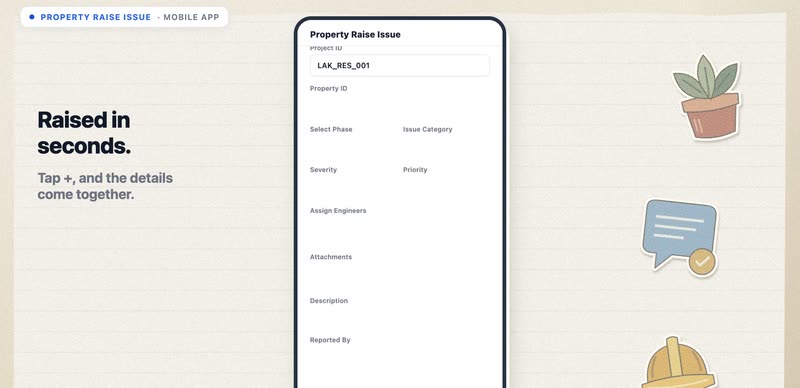
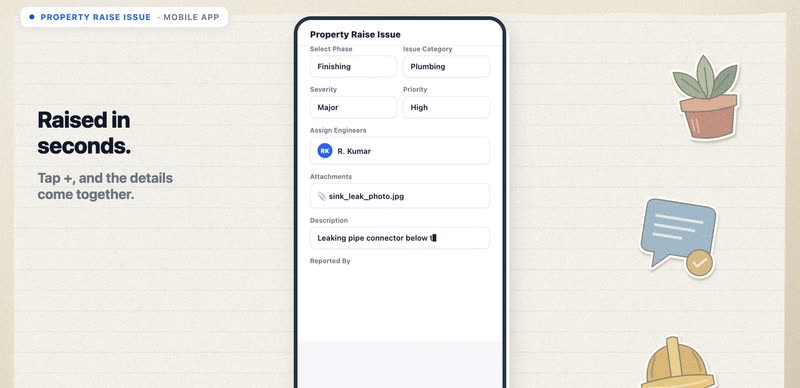
A ticket from site takes seconds: tap +, pick the project, property, phase and category, here Plumbing, set severity and priority, assign an engineer, attach a photo and describe the problem.
Without it: A call, retold three times.
1From the site, in two taps
2Type, photos, a few words
3How serious, and who fixes it
Example 2 of 7
Heard without a call.
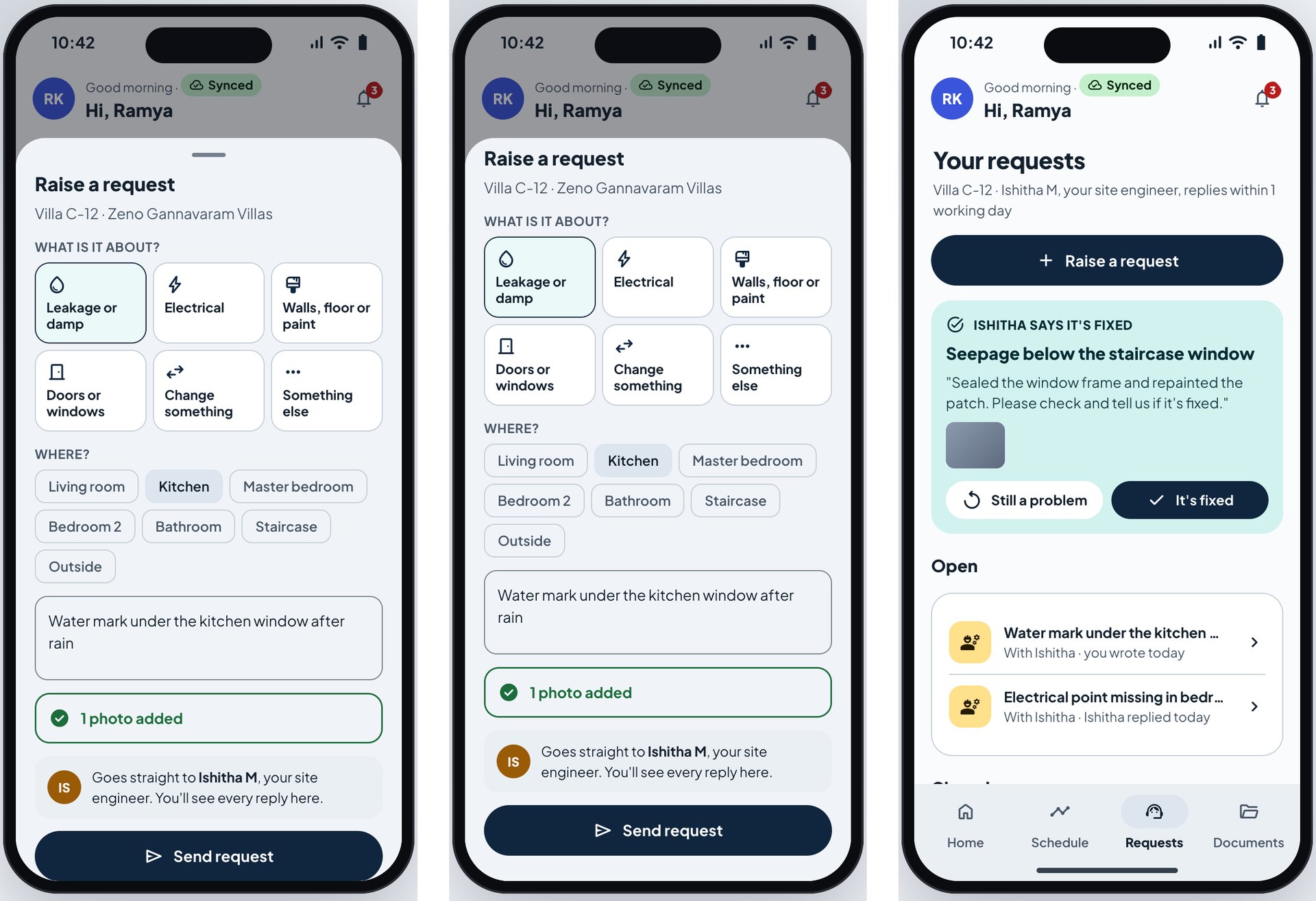
Customers raise their own tickets from the app: what it is and where. It goes straight to the home's site engineer, and the customer can see it's open.
Without it: Calls to the sales person.
123
1What it is, and where
2Goes straight to the site engineer
3They see it's open
Example 3 of 7
The whole story, one place.
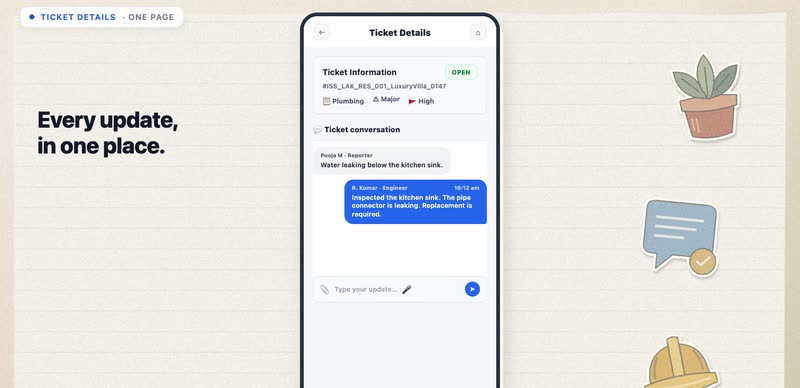
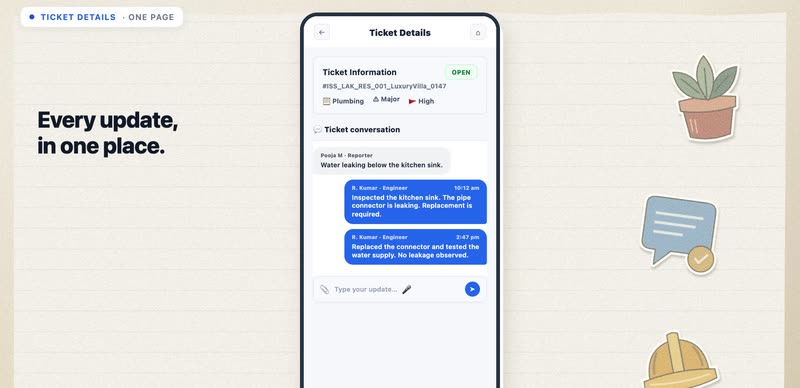
Every update stays on the ticket. “Inspected the kitchen sink. The pipe connector is leaking. Replacement is required.” Then, at 3:47 pm: “Replaced the connector and tested the water supply. No leakage observed.” Every message is timestamped.
Without it: Spread across WhatsApp groups.
1Replies and photos on the ticket
2Customer sees this, or team only
3Add or remove people
Example 4 of 7
Closed means fixed.
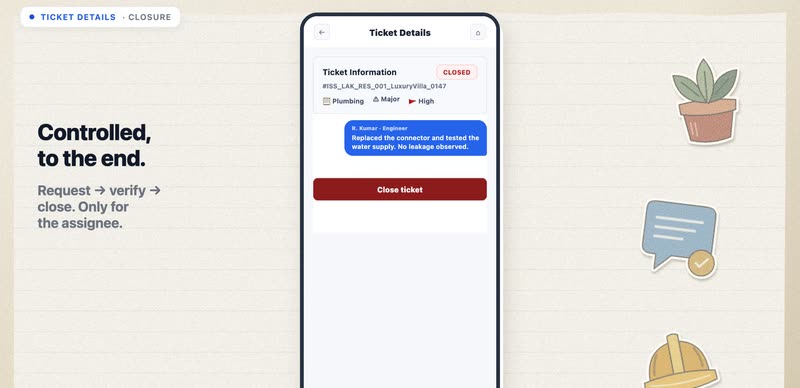
When the fix is done, the engineer requests closure. A reviewer verifies the work, and only then does Close Ticket appear, for the assigned engineer alone. Until then the ticket stays open.
Without it: Closed when someone says done.
1The engineer requests closure
2A reviewer verifies
3Then the assignee closes it
Example 5 of 7
Customers have their say.
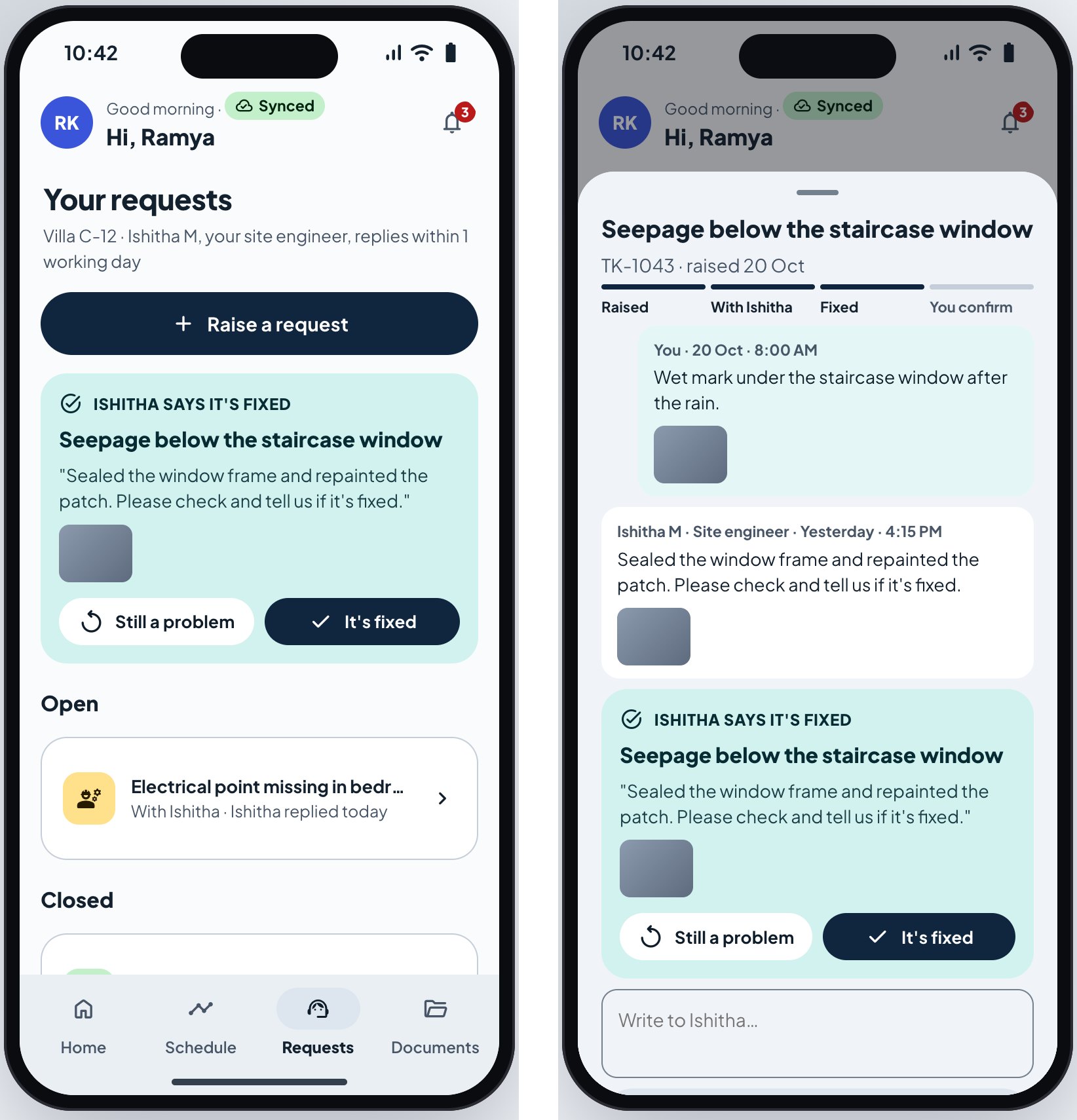
The engineer says it's fixed, and the customer answers in the app: it's fixed, or still a problem. Every step is recorded.
Without it: Nobody asks the customer.
123
1The engineer says it's fixed
2It's fixed, or Still a problem
3Every step, in the app
Example 6 of 7
Repeat problems are visible.
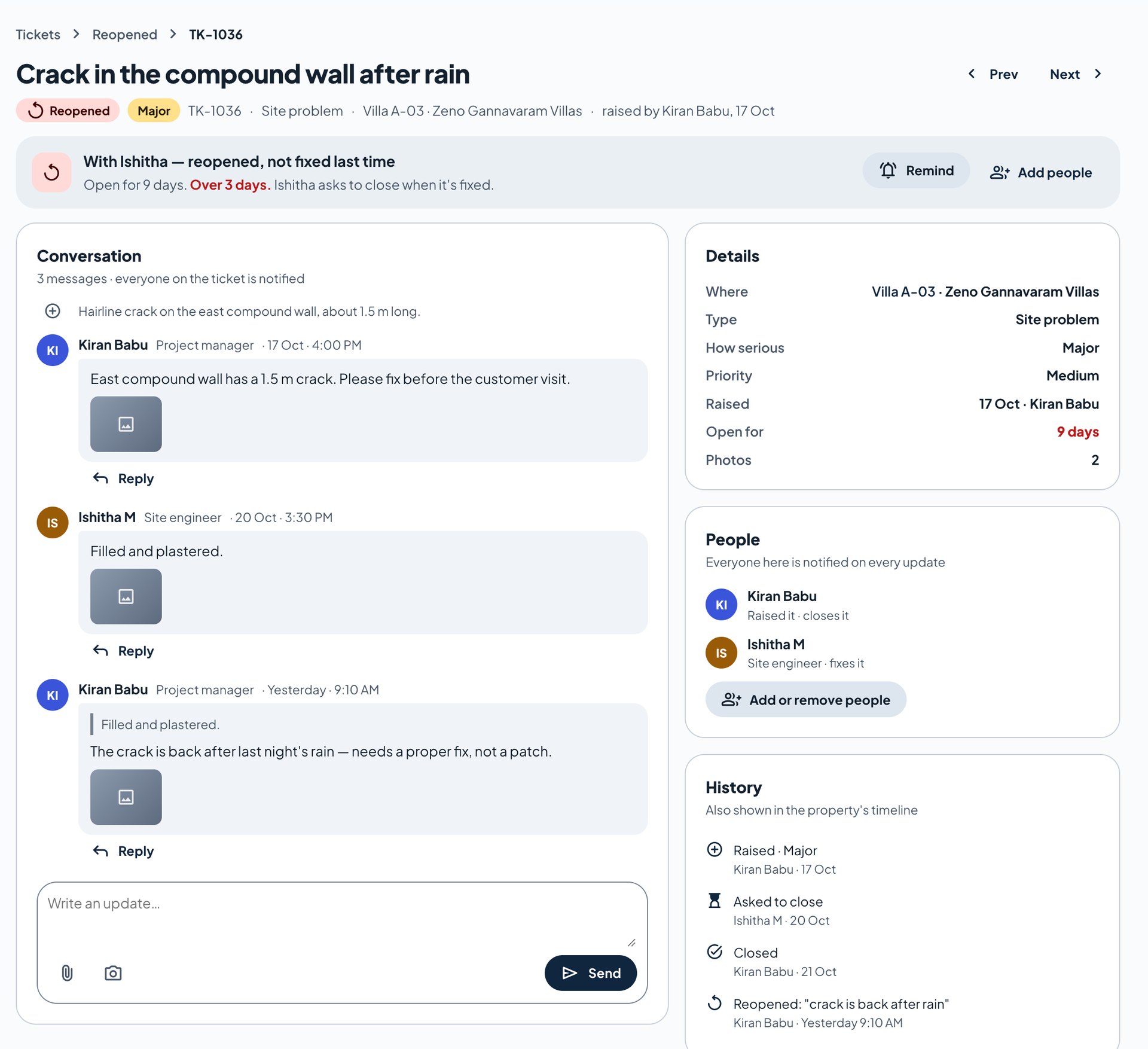
Not fixed? The ticket goes back to the person fixing it, marked reopened, with what's still wrong and a photo. The whole history stays.
Without it: Started again from zero.
123
1Back with the fixer, marked reopened
2What's still wrong, with a photo
3The whole history stays
Example 7 of 7
Before Zeno+
Raised everywhere, owned by nobody.
Lost in chatsWhatsApp threads and calls
No ownerBounces between people
Customers chaseCalling for updates
Closed, not fixedBack at handover
What changes
Every problem owned, until it's fixed.
OwnersEvery open problemAge and owner.
SiteRaise from the phoneWith a photo.
Customer careCustomers raise their ownAnd see replies.
EveryoneOne conversationNot ten threads.
A few practical questions.
Who gets the ticket?
A rule picks the site engineer of that home with the fewest open tickets. Critical ones alert everyone at once.
Does the customer see team notes?
No. Customers only see messages marked for them. Team notes stay with the team.
What if it isn't fixed?
The customer taps Still a problem, and it reopens. Reopened tickets are counted, in red.
Tickets
Send us last month's complaints.
We'll show you them as tickets, each with an owner.