Construction software for builders and developers
Run the whole build.
In one place.
Connect sites, stock, bills and teams in one system, from the first plan to final handover.
Begin with a single project, your own data and a weekly review.
Turn progress into a permanent record
Your records now keep
pace with the work.
From daily site updates to bills and handovers, Zeno+ keeps everything in one connected system.
A single daily update from the phone records the phase, progress and photos.
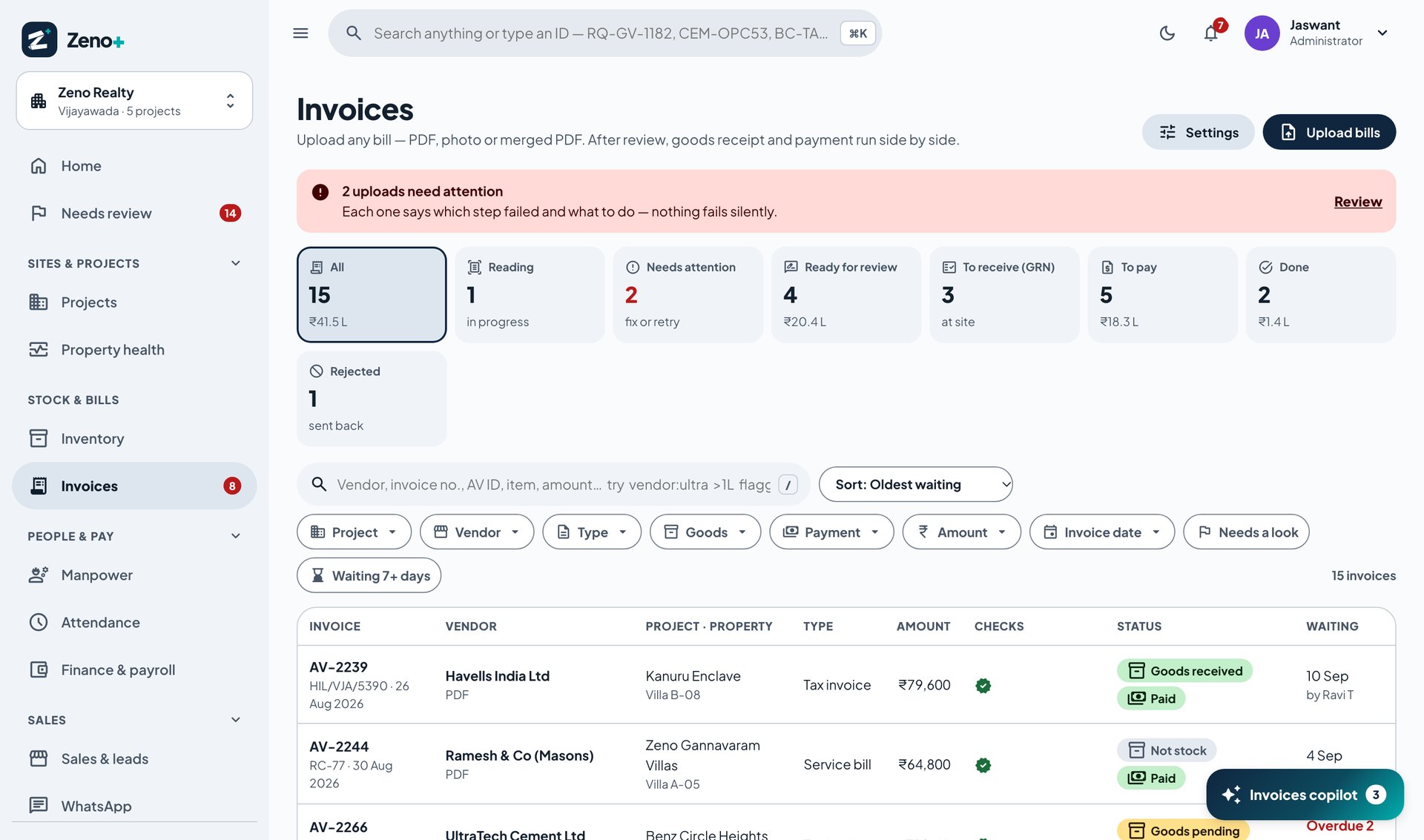
 Bills and stockConnect bills, goods and payments.
AI reads each bill, stores record what arrives, and finance pays only for goods received.
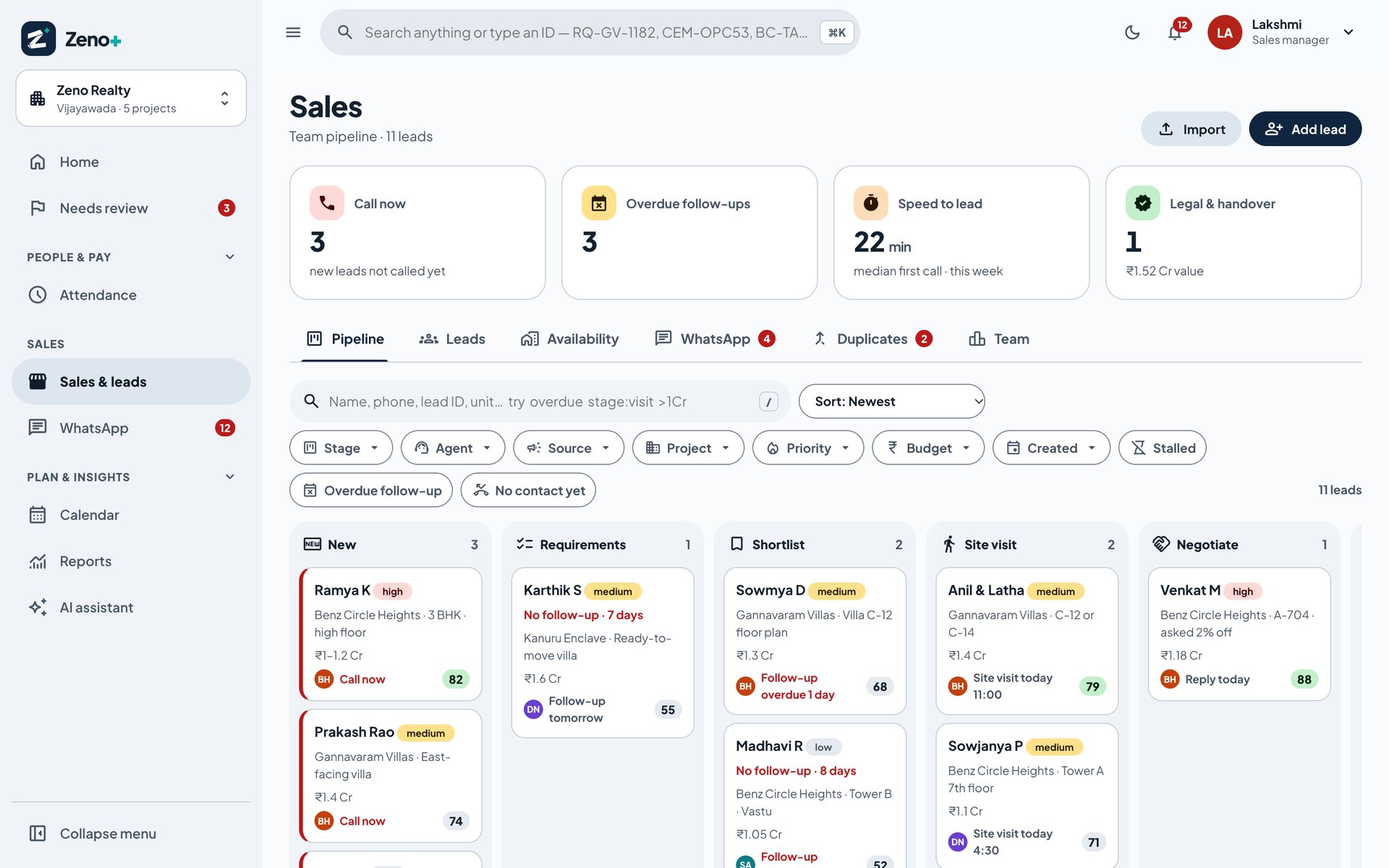
 Sales and handoverKeep every customer commitment visible.
Each unit is reserved for one buyer, who then follows their home and payments in the customer app.
Built around your work
8 modules. One connected system.
From the bill to the keys, every module hands its work to the next.
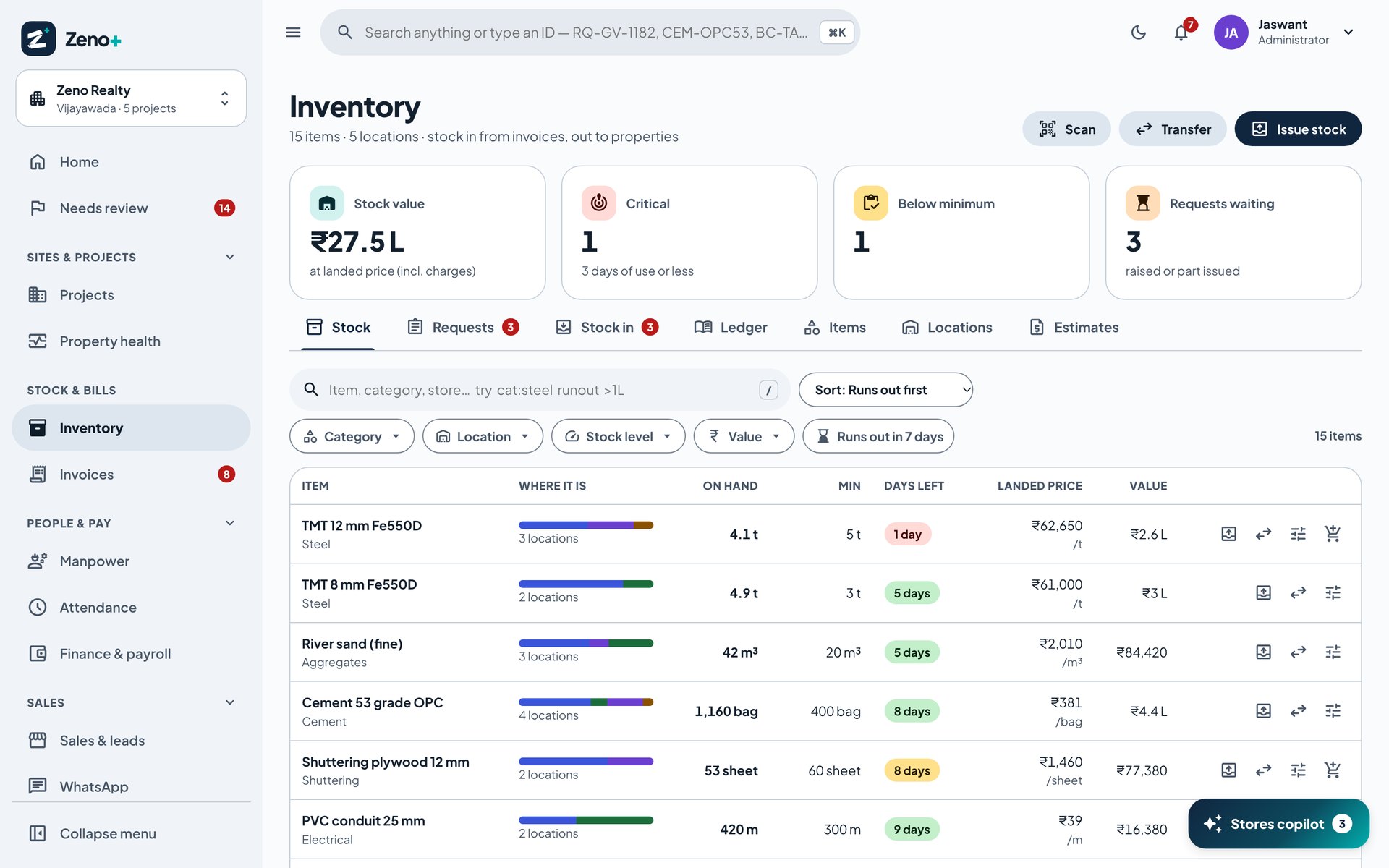
InvoicesAI reads every bill. No manual entry.Upload any bill; Zeno+ reads and checks it, and highlights anything that needs attention.Open Invoices 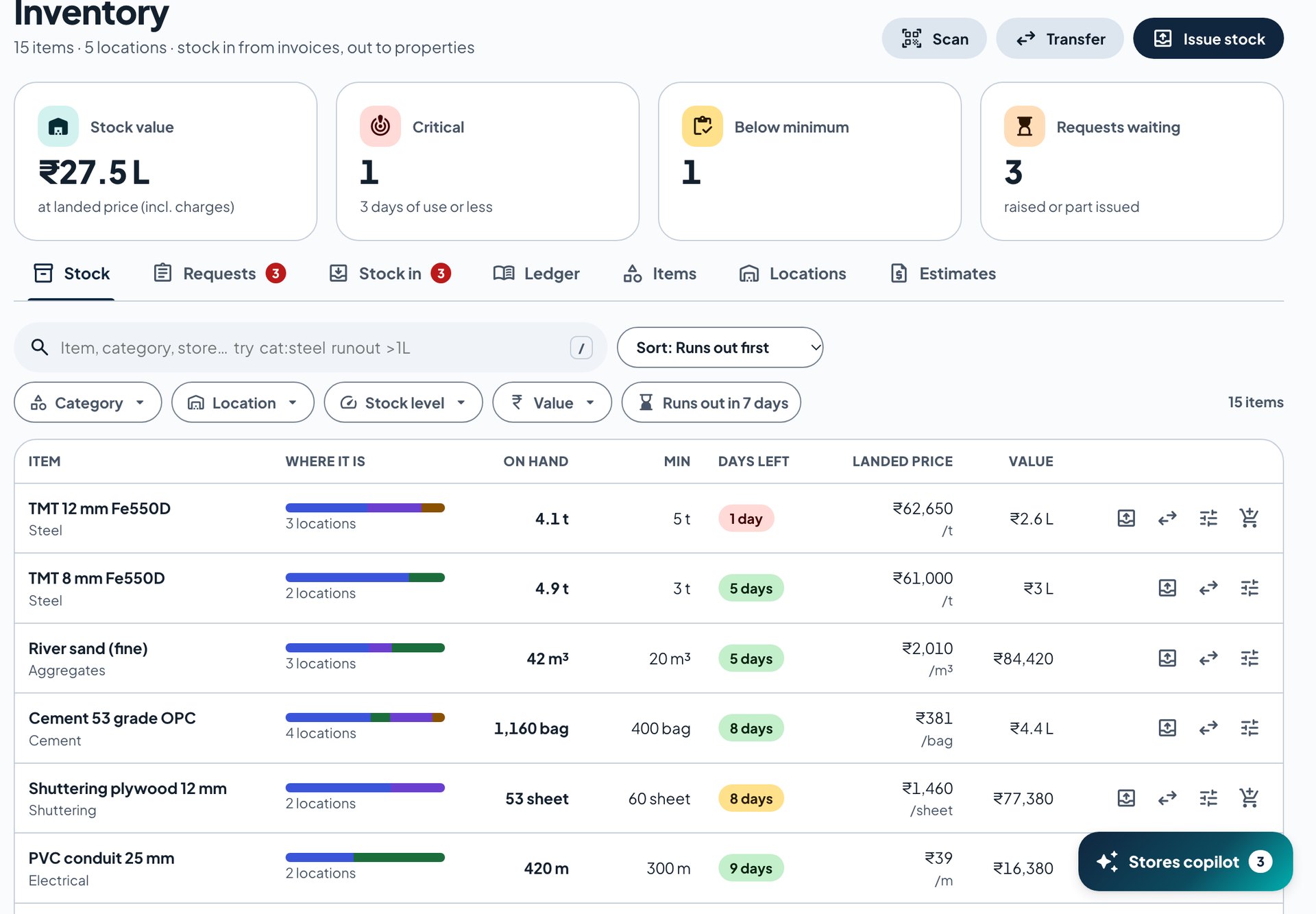 InventoryScan, verify and issue stock in seconds.Current stock, its value, and what will run out next.Open Inventory
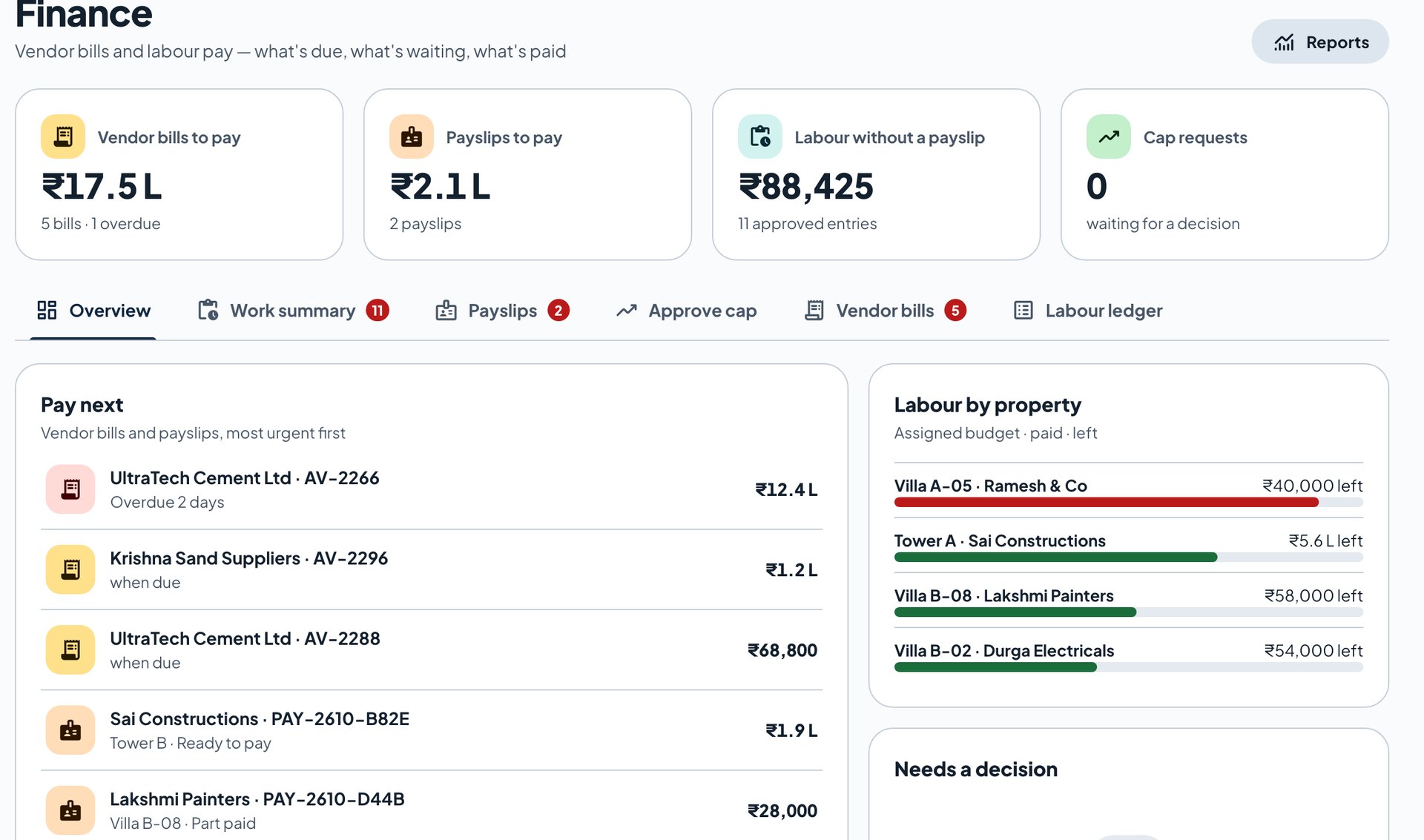 FinancePay for what arrived, with proof.Vendor and crew payments in one list, each backed by proof.Open Finance
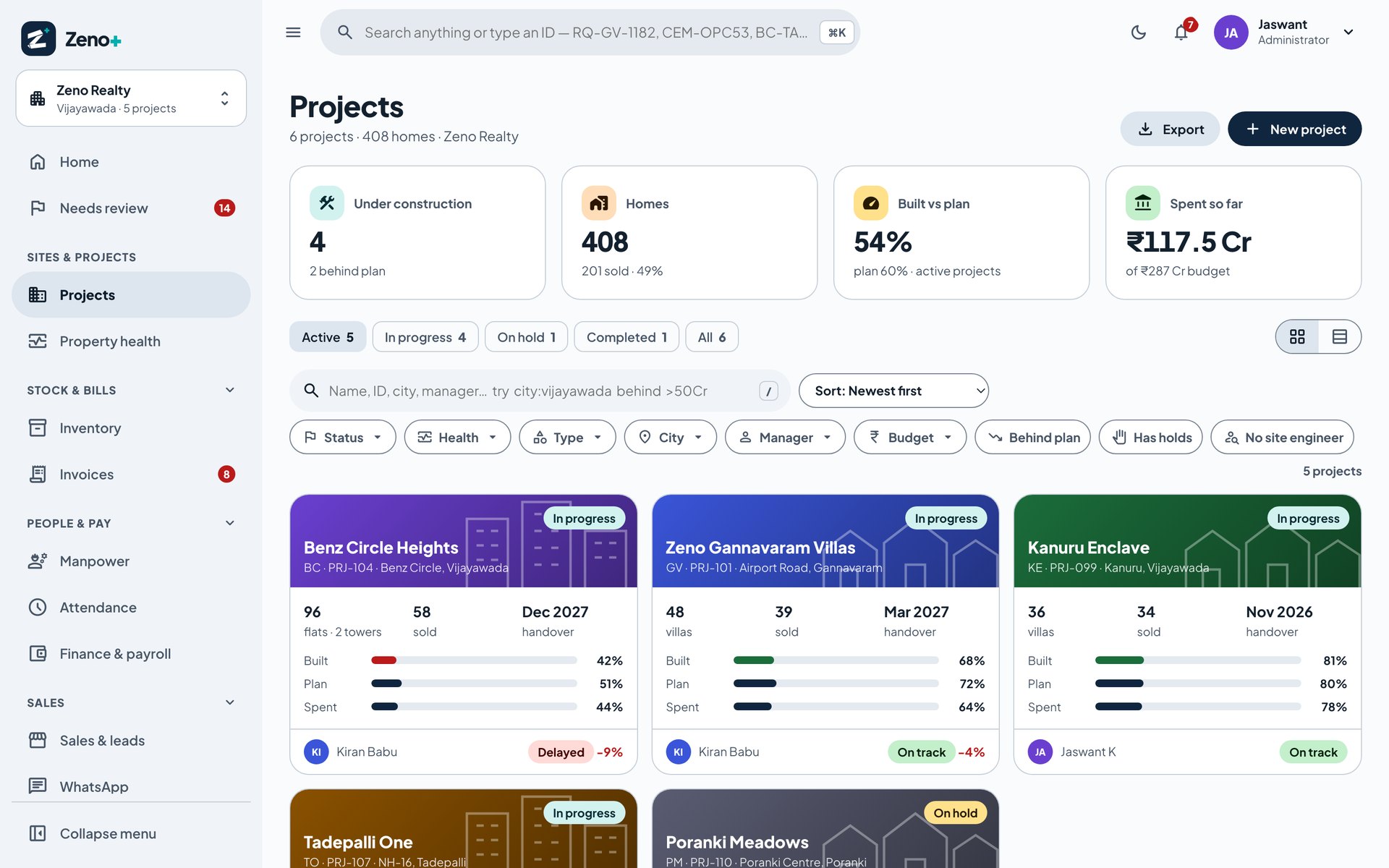
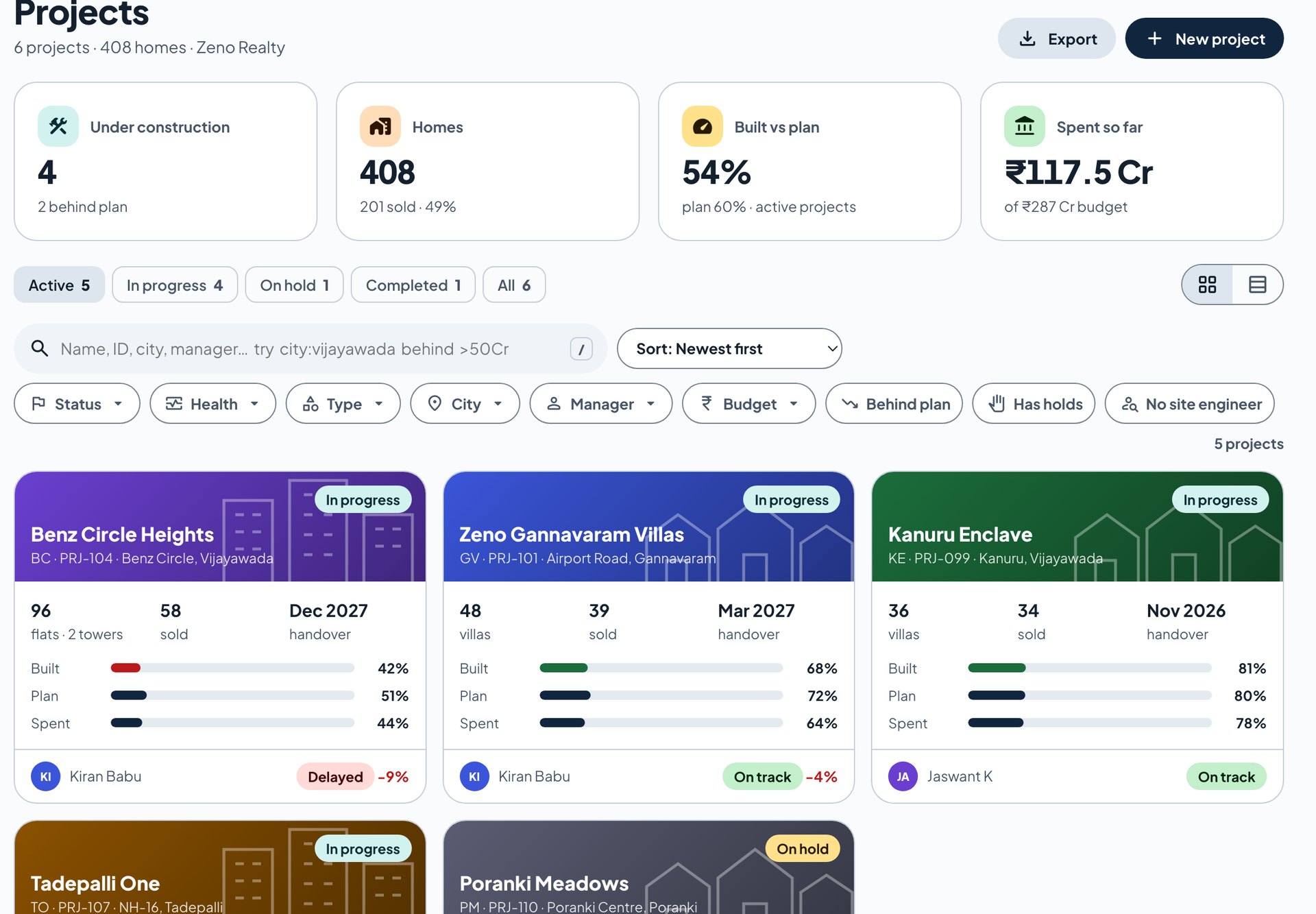 ProjectsThe whole plan, as one diagram.Every project, tower and flat, updated from site.Open Projects
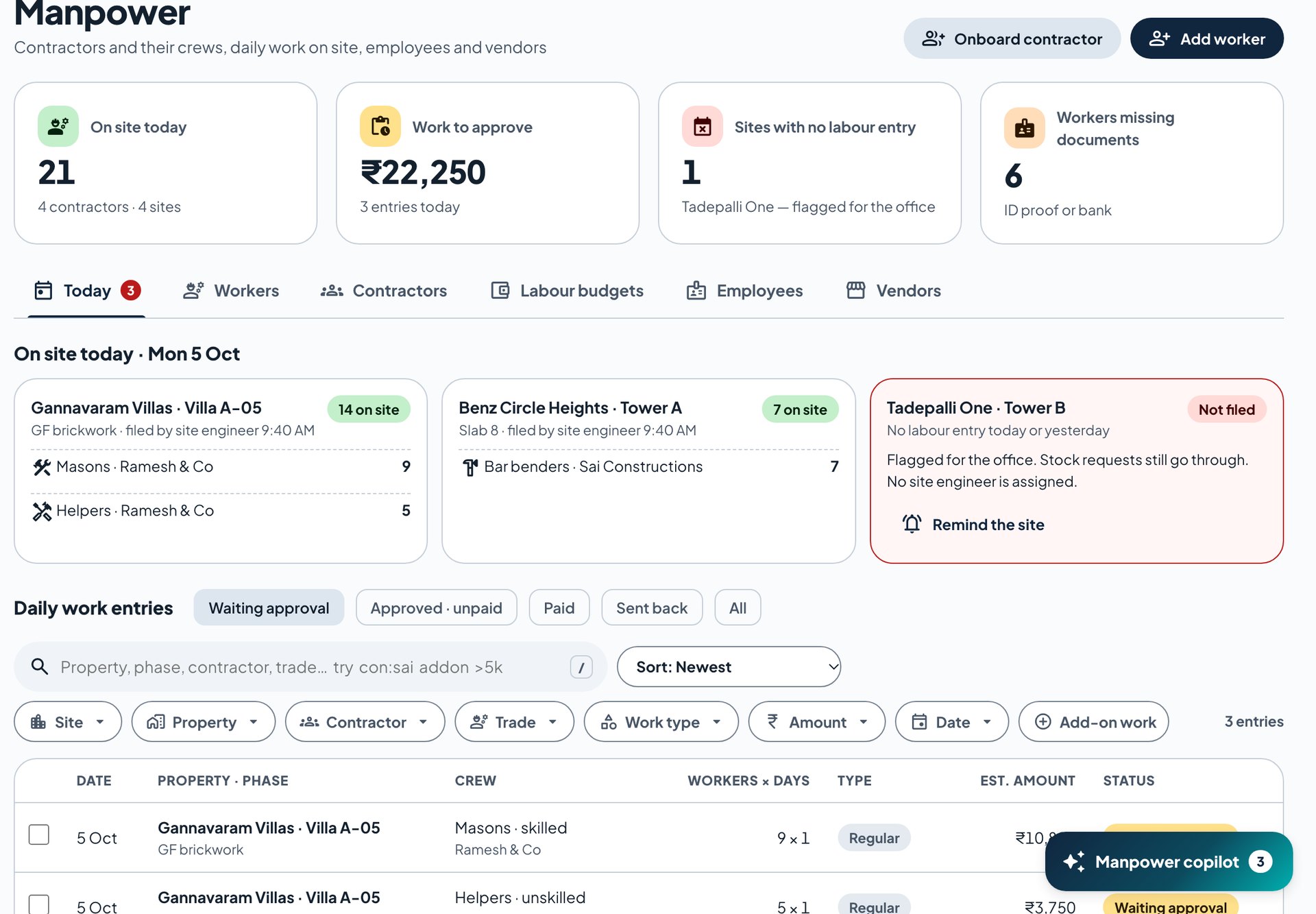 ManpowerEvery working day, accurately recorded.Attendance, hours worked and site crews, in one place.Open Manpower
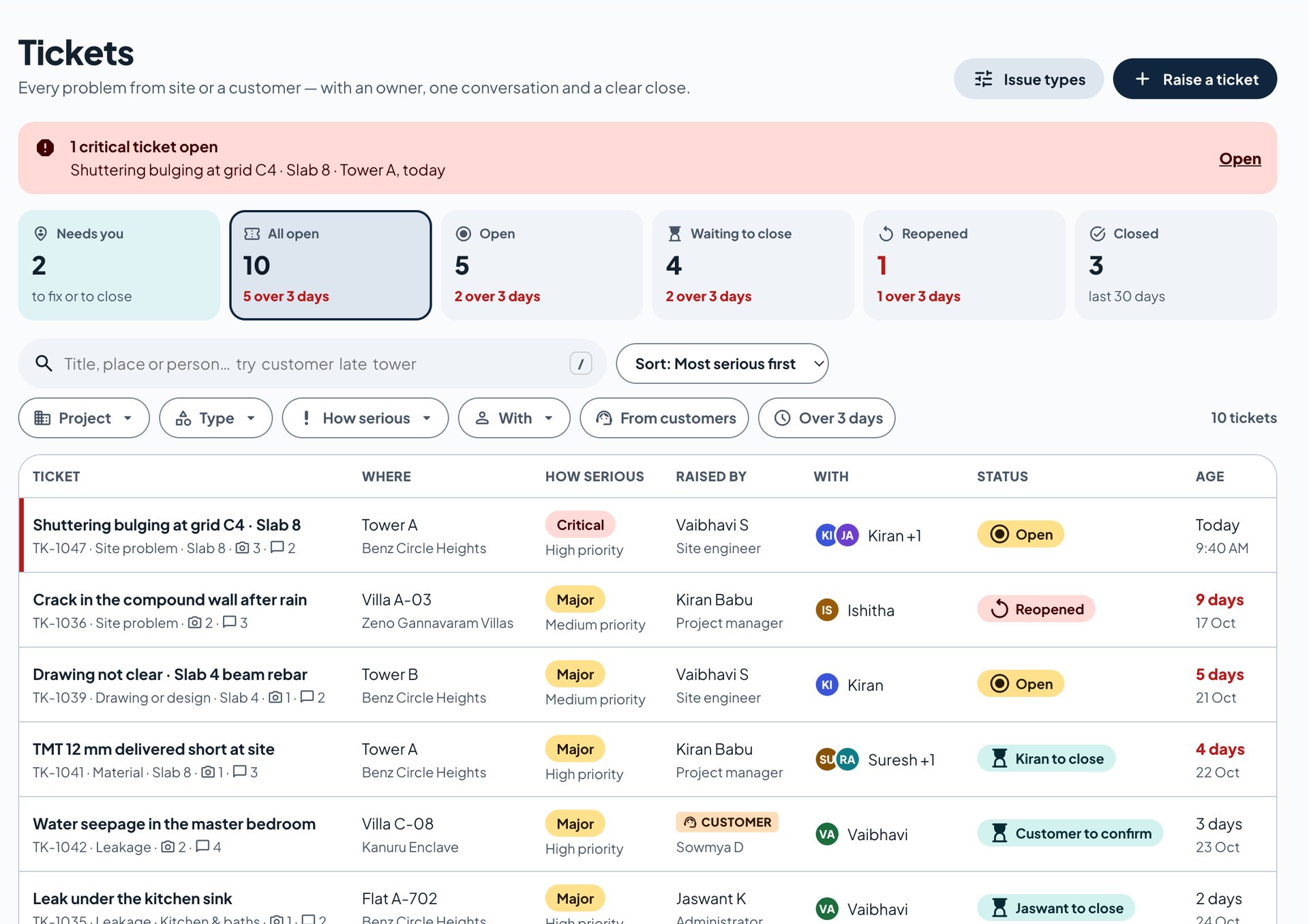 TicketsFrom first report to verified closure.Issues from site teams or customers, tracked until resolved.Open Tickets
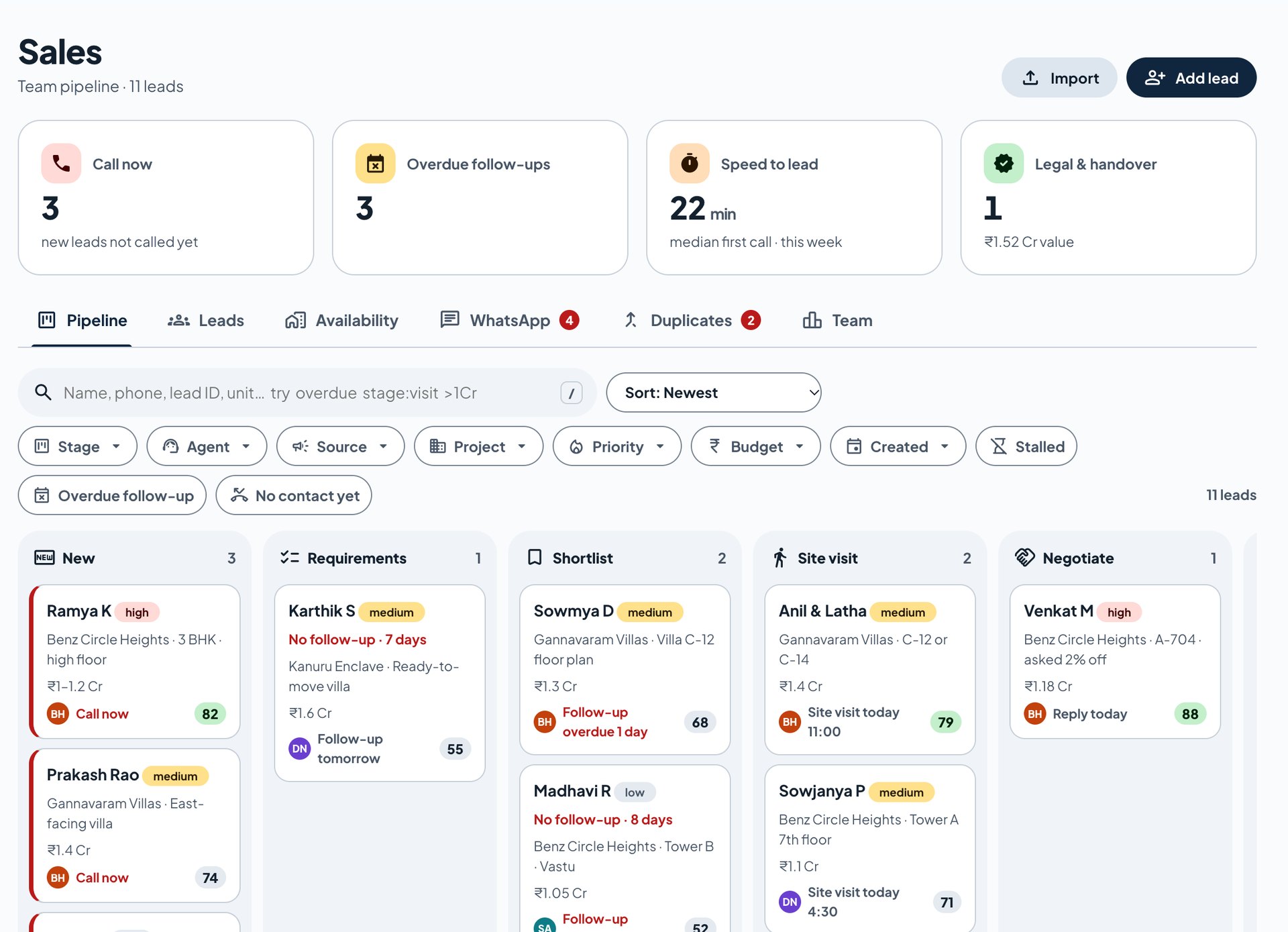 SalesYour CRM, with WhatsApp built in.From the first enquiry to the keys.Open Sales
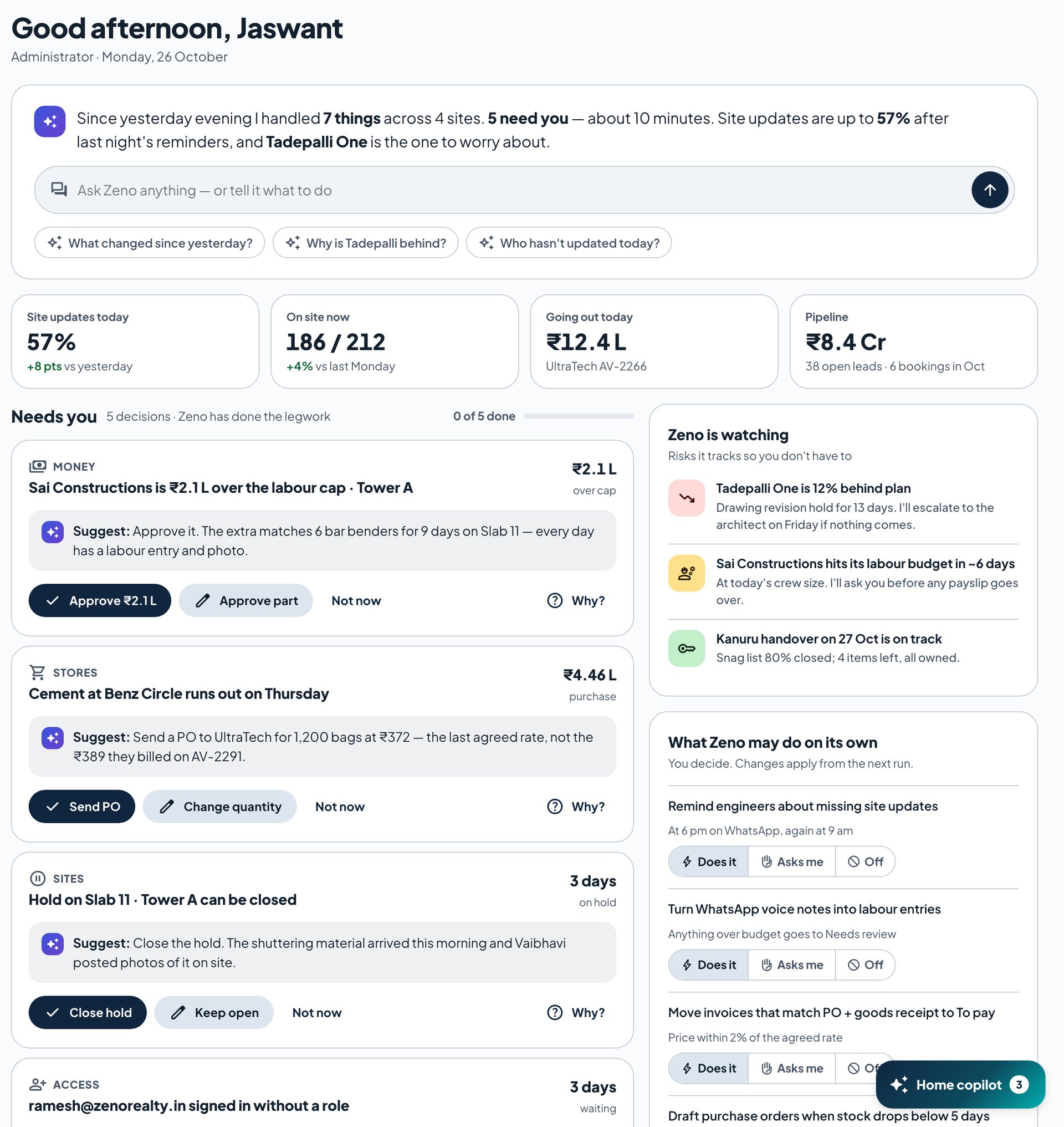 Meet Zeno+ AIAnswers across every project.It reads, drafts and spots issues. You make the decisions.Open Meet Zeno+ AI
A simple flow, from start to finish
From the first plan to the final handover.
- 1PlanThe schedule as one diagram, phase by phase.
- 2Buy and receiveAI reads the bill, and goods are received at the agreed price.
- 3BuildOne site update a day, with crew attendance recorded by voice.
- 4PayPayments match what was received, with the bank reference as proof.
- 5Sell and hand overEach unit is sold to one buyer; requests close only when the customer confirms.
The right information for every role
The right view for every role.
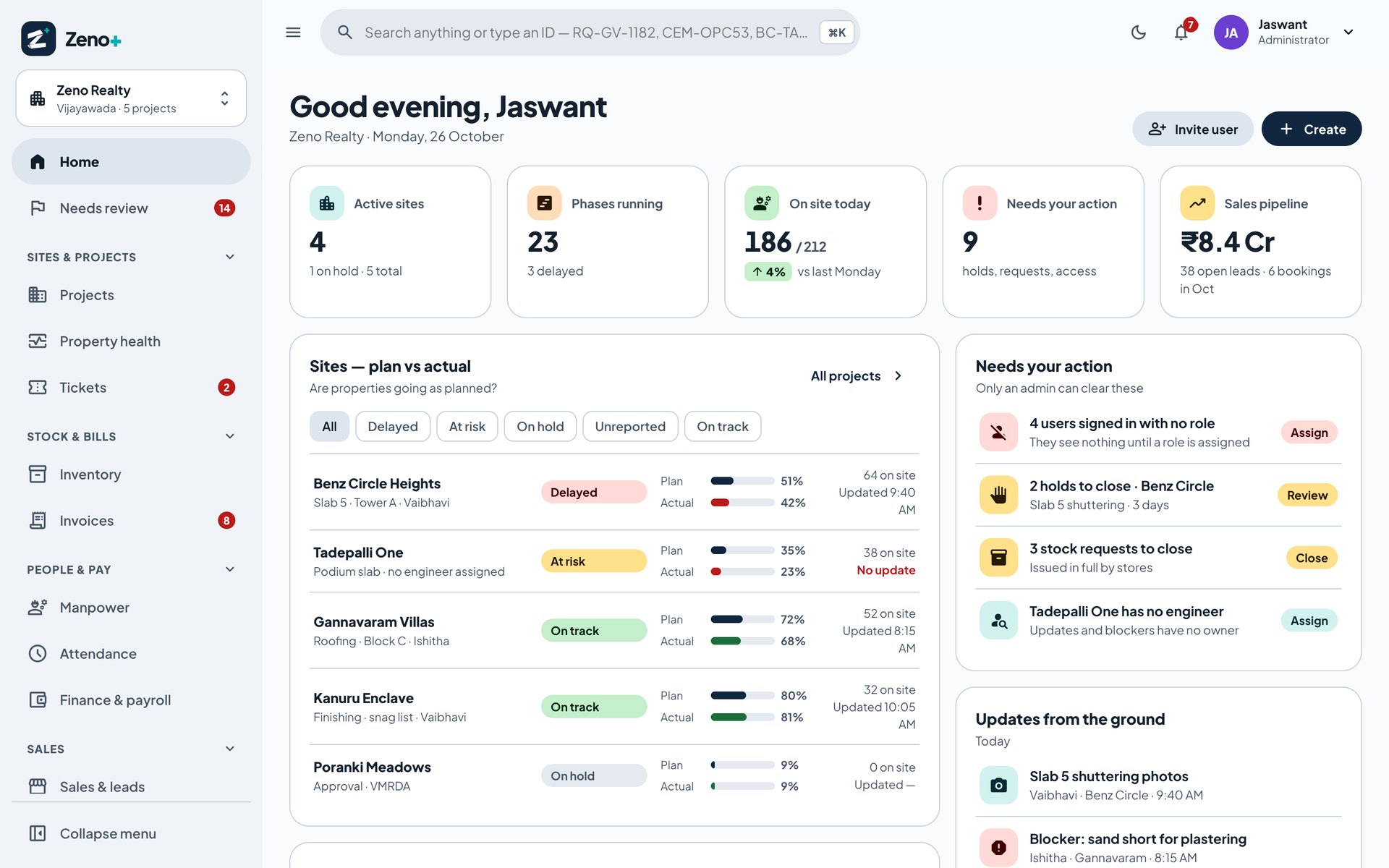
What needs your attention, every site against plan, and the finances.
- The owner's home: what needs you today
- Every project against plan
- Bills, payslips and payments with proof
Keep the site moving, from the phone.
- One update a day, with photos
- Labour recorded by voice and checked before submission
- Problems raised as tickets
Bills read automatically; every payment backed by proof.
- Bills read, checked, approved by a person
- Payslips from approved days
- Payments tracked against amounts due, month by month
Stock in from the bill, out to the right person.
- Goods received against the bill
- Scan, then issue with a pickup code
- Transfers in transit until confirmed
Start small, see value fast
Start with one project.
See it work on your site.
A pilot with your own team, your own data and a weekly review.
Plan your pilot- 01Choose a projectOne project and the people who work on it.
- 02Set up your teamWe bring in your Excel data and train each role.
- 03Review togetherRun it for two weeks, with a review each week.
Can AI pay or change anything on its own?
No. AI reads and explains information. Payments, stock issues and discounts always need a person's approval, and every action must be confirmed explicitly.
Does a flag stop work, or a payment?
No. Work continues: the action is saved first and any flag is raised afterwards. Work is blocked only for payments, final payroll, deletions, access changes, and issuing stock that is not available.
Does the site team need a computer?
No. Site engineers and stores work in the phone app: daily updates, labour, requests, scan and issue.
Who sees what?
Each person signs in as themselves. Roles decide which modules and actions each person can open, and you set them in Users and access. Money is shown to owners and admins, and to finance for its own work.
Is there a history of changes?
Yes. Bills, stock movements, site updates, tickets and leads keep their full history, with a name and a time on every change.
Can we take our data out?
Yes. Reports export to Excel and PDF at any time. Your data stays yours.
How do we start?
With a pilot on one project and its team. Week 1 we pick it, weeks 1–2 we bring in your data, week 2 we train each role, and weeks 3–4 you run it with a weekly review.
What do you need from us?
One pilot project and its team, your current Excel sheets (projects, vendors, items, stock, employees, leads), one person who owns the pilot, and an hour a week for the review.
Ready for a clearer view of your build?
We'll set up a focused pilot to show how Zeno+ fits your projects and your team.
Book a demo